
Income Producing
Understand the deal. Then explain it.
A rent roll tells one part of the story. Operating statements tell another. Kora brings them into the same Property Room, with the assumptions still in view.
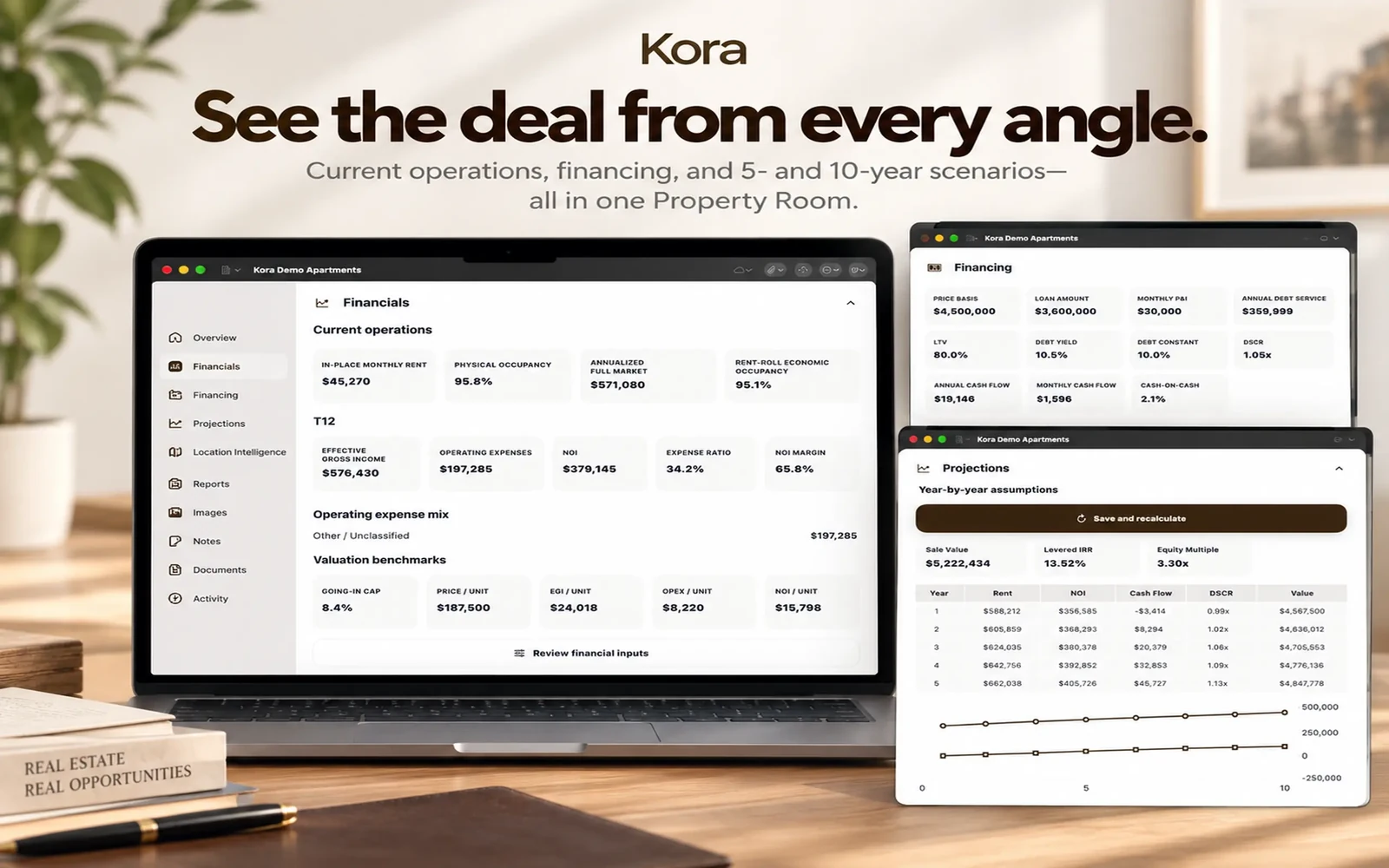
Kora’s Income Producing workflow combines source documents, current operations, financing, editable multi-year projections, and client reports. Financial results are calculated deterministically rather than delegated to an AI model.

Available now on iPhone, iPad, and native Mac. Free download; advanced workflows require Kora Intelligence.
From information to useful work.
- 01
Establish the current property
Review rent-roll and trailing financial information before accepting the property facts. Physical occupancy and rent-roll economic occupancy are distinct measures.
- 02
Examine operations and financing
Review income, operating expenses, NOI, cap rate, DSCR, debt service, cash flow, and cash-on-cash return using the available property and financing inputs.
- 03
Test a future scenario
Review Base 5-Year and Base 10-Year assumptions. Compare projected rent, NOI, cash flow, value, DSCR, IRR, equity multiple, and ending loan balance where the scenario supports them.
Keep the time periods straight
Historical operations are not a forecast. Current financing is not projected financing. Kora keeps these separate so a future assumption does not become a claim about today’s property.
From the numbers to the conversation
Use a Financial Snapshot for a compact summary, a Projection Book for assumptions and year-by-year results, or an Offering Memorandum for the broader investment story.
A calculation is not a guarantee
Review the input documents, financing terms, sale assumptions, and output before relying on an analysis. Kora supports the work; it does not certify a valuation, promise a return, or replace professional judgment.
From the room to the report.
The same reviewed property can support an Offering Memorandum, Financial Snapshot, and Projection Book. Inspect the existing example below.

Keep the work connected.
A few useful answers
Before the next step.
Does Kora use AI to calculate NOI or DSCR?
No. Financial calculations remain deterministic. AI can help organize source information and draft reviewable explanations.
Which documents can I start with?
Income Producing intake supports rent rolls, T12/trailing statements, P&L statements, property documents, photos, notes, and user-entered details.
Can I edit projection assumptions?
Yes. Users can review and edit assumptions. Current operations, current financing, and future scenarios stay separate.
Pricing & access
Kora Intelligence.
Your next step.
Free to download. The eight calculators, branded calculator exports, branding, and Market Pulse are free. Existing rooms and saved exports remain readable. Kora Intelligence unlocks room creation and editing, source processing, intelligence, projections, new reports, and collaboration. Room permissions still apply.
US App Store prices in USD, checked October 6, 2026. The same subscription, with two billing choices. Apple shows local pricing and purchase terms before you subscribe.
Check your device.
The current US listing requires iOS 27.0 or iPadOS 27.0, or macOS 27.0 with an Apple M1 chip or later. Check App Store compatibility for your device before downloading.
Keep the facts in view.
Financial calculations are deterministic; manual values remain authoritative. Review property facts, assumptions, and generated material before sharing. Connected services need a network; iCloud Sync is optional. Read the privacy policy.

Available now on iPhone, iPad, and native Mac. Free download; advanced workflows require Kora Intelligence.