
Property organization
One property. One place to work.
Real estate has enough scattered files already. A Property Room brings the information about a property together, so the analysis, briefing, and report can start from the same place.
A Property Room is Kora’s workspace for one property. It holds source documents, photos, notes, reviewed facts, location context, financials, projections, and saved outputs. Income Producing and Residential are the launch workflows.

Available now on iPhone, iPad, and native Mac. Free download; advanced workflows require Kora Intelligence.
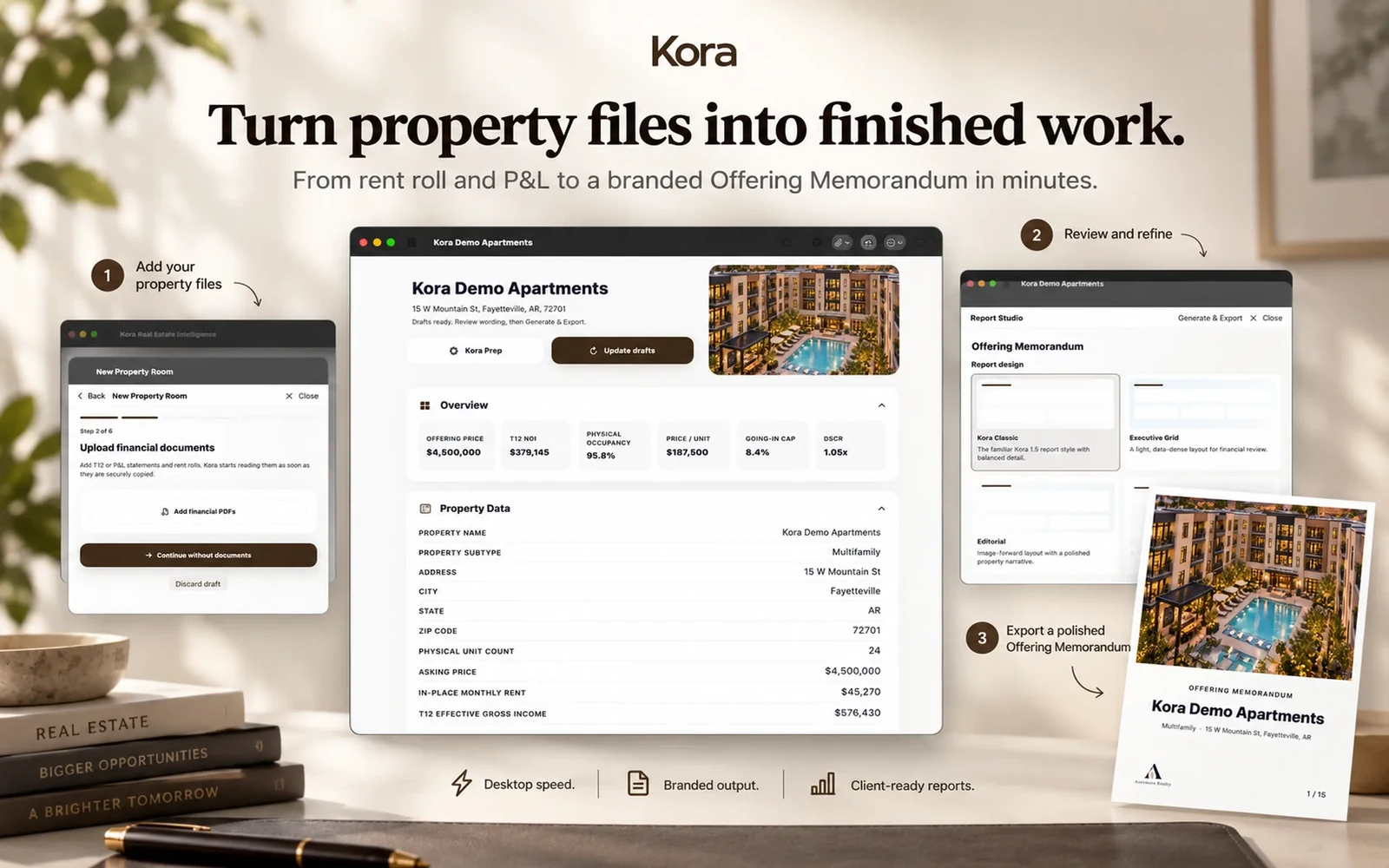
From information to useful work.
- 01
Bring what you have
Start with rent rolls, T12 or P&L statements, property-information PDFs, listing sheets, scans, photos, notes, or an address.
- 02
Review the information
Keep original evidence separate from extracted candidates and accepted facts. Correct a value yourself; your correction stays authoritative.
- 03
Put the room to work
Prepare a property briefing, analyze the numbers, or create branded reports and residential marketing without re-entering the property for each task.
A room is more than a folder
Documents remain available as evidence. Reviewed property facts, manual values, calculations, and generated narrative have distinct roles. A summary is not quietly promoted to a source fact.
Two workflows, one organizing idea
Income Producing rooms bring financial documents, current operations, financing, and scenarios together. Residential rooms bring listing details, photos, location context, and marketing together.
Useful away from the desk
Core room state, saved outputs, and calculations remain available locally. Network-dependent enrichment needs a connection. Private iCloud/CloudKit supports the cross-device Apple workflow; do not treat local-first as a claim that everything runs offline.
Keep the work connected.
A few useful answers
Before the next step.
What can I put in a Property Room?
Property details, documents, photos, notes, reviewed facts, financial information, location context, projection scenarios, reports, and saved exports.
Does Kora overwrite my corrections?
Manual corrections remain authoritative. Extracted candidates and generated wording are separate from reviewed property facts.
Is a Property Room a CRM?
The described launch workflow organizes individual properties and their analysis and outputs. It is not a claim of a contact CRM, MLS integration, or transaction-management system.
Pricing & access
Kora Intelligence.
Your next step.
Free to download. The eight calculators, branded calculator exports, branding, and Market Pulse are free. Existing rooms and saved exports remain readable. Kora Intelligence unlocks room creation and editing, source processing, intelligence, projections, new reports, and collaboration. Room permissions still apply.
US App Store prices in USD, checked October 6, 2026. The same subscription, with two billing choices. Apple shows local pricing and purchase terms before you subscribe.
Check your device.
The current US listing requires iOS 27.0 or iPadOS 27.0, or macOS 27.0 with an Apple M1 chip or later. Check App Store compatibility for your device before downloading.
Keep the facts in view.
Financial calculations are deterministic; manual values remain authoritative. Review property facts, assumptions, and generated material before sharing. Connected services need a network; iCloud Sync is optional. Read the privacy policy.

Available now on iPhone, iPad, and native Mac. Free download; advanced workflows require Kora Intelligence.