
Offering Memorandum software
The report should not mean starting over.
The property is already in Kora. Its Offering Memorandum should start there—not in another empty document.
Kora’s Offering Memorandum workflow turns an Income Producing Property Room into a branded report. Available room information can feed property details, photography, investment metrics, operations, financing, location context, narrative, and projections.

Available now on iPhone, iPad, and native Mac. Free download; advanced workflows require Kora Intelligence.
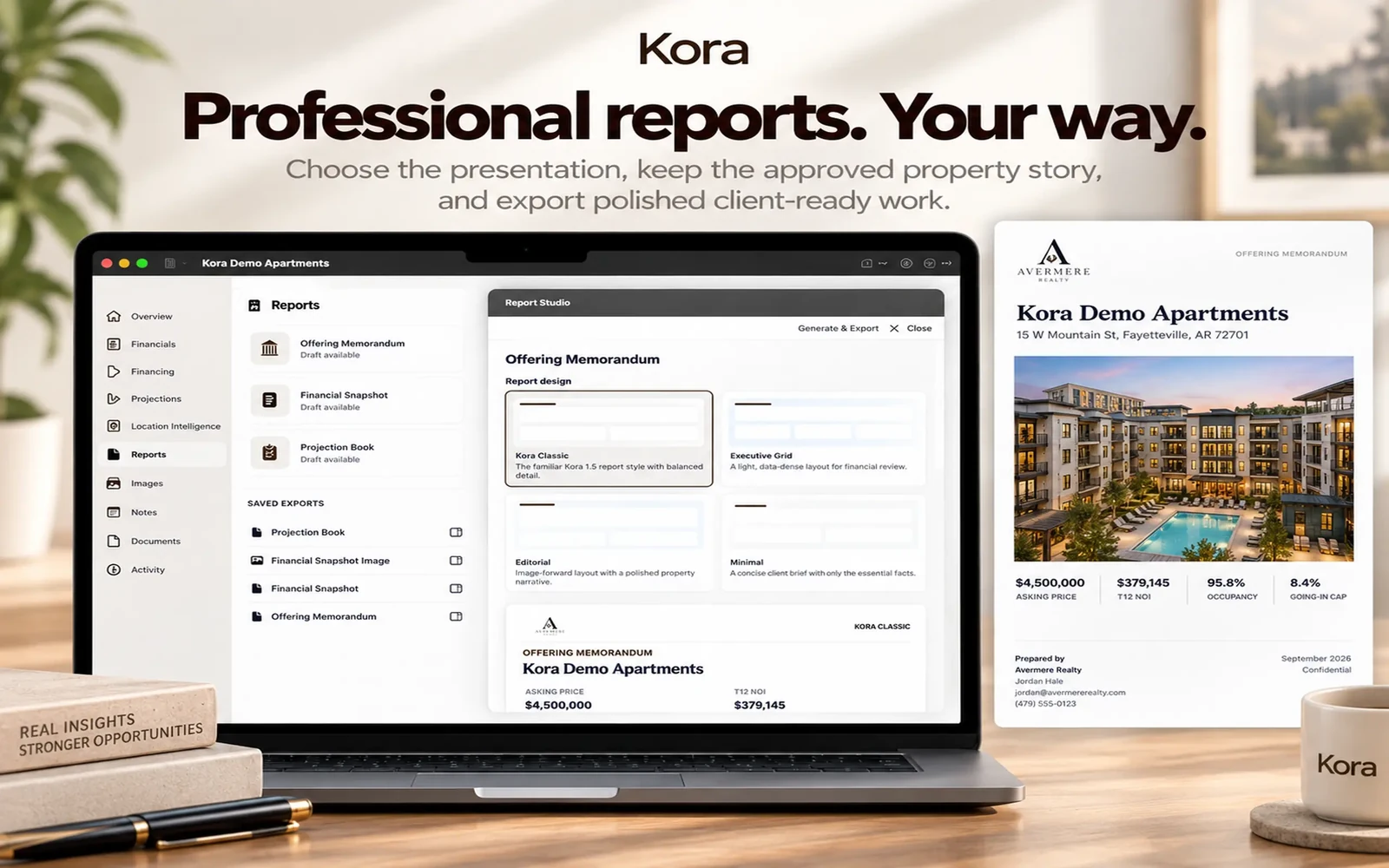
From information to useful work.
- 01
Prepare the property
Add source documents, photography, notes, and financial details to the room. Review extracted facts and your assumptions.
- 02
Review the story
Review and edit the prepared narrative. Your property information supplies the context; generated wording is not a substitute for evidence.
- 03
Choose the presentation
Select Kora Classic, Executive Grid, Editorial, or Minimal, then Generate & Export. Changing the visual style does not require rewriting approved prose.
A report with room for the whole property
Depending on available information, the report can include a cover, executive overview, property description, location and market context, operating performance, financing, investment narrative, projections, charts, photo gallery, and closing contact page.
Your name on the work
Agent and brokerage branding can include your logo, headshot, contact details, license information, and export palette. The aim is your professional presentation—not generic app-branded paperwork.
Right-size the deliverable
Not every conversation needs a full OM. The same room can support a Financial Snapshot or Projection Book. Report length depends on content and photography; a page count is not a quality guarantee.
Keep the work connected.
A few useful answers
Before the next step.
Can I change the report design without rewriting it?
Yes. Approved semantic report content is reusable across the supported visual families. A style change does not automatically rewrite approved prose.
Does Kora create financial figures with AI?
No. Financial calculations are deterministic. Narrative is generated from approved property information and should be reviewed before sharing.
Are these actual report previews?
The supplied marketing compositions show Kora’s interface and example outputs. They are product illustrations, not an offering for the example properties or a downloadable investment recommendation.
Pricing & access
Kora Intelligence.
Your next step.
Free to download. The eight calculators, branded calculator exports, branding, and Market Pulse are free. Existing rooms and saved exports remain readable. Kora Intelligence unlocks room creation and editing, source processing, intelligence, projections, new reports, and collaboration. Room permissions still apply.
US App Store prices in USD, checked October 6, 2026. The same subscription, with two billing choices. Apple shows local pricing and purchase terms before you subscribe.
Check your device.
The current US listing requires iOS 27.0 or iPadOS 27.0, or macOS 27.0 with an Apple M1 chip or later. Check App Store compatibility for your device before downloading.
Keep the facts in view.
Financial calculations are deterministic; manual values remain authoritative. Review property facts, assumptions, and generated material before sharing. Connected services need a network; iCloud Sync is optional. Read the privacy policy.

Available now on iPhone, iPad, and native Mac. Free download; advanced workflows require Kora Intelligence.